Supervisors
Administrators can view a list of supervisors and the agents who are being managed by them. They can also add or remove agents from a Supervisor.
What do you want to do?
Tasks in this Topic Include:
Related Tasks:
- Set Up Monet
- Shift Profiles
- RTA Configuration
- Break Settings
- Set Global Options
- Status Alerts
- Scheduled Reports
- Anywhere Options
- Time Off Manager Rules
- Reminders
- Shift Swapping Options
- Change Password
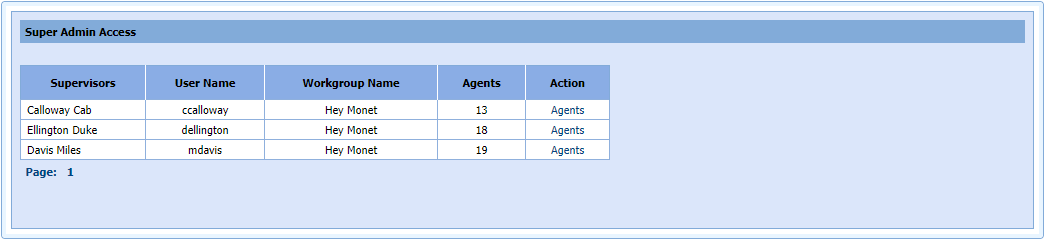
Super Admin Access Table
The table shows the Supervisor and agent information.
|
Super Admin Access Table Fields |
Description |
|---|---|
| Supervisors List | List of the supervisors' first and last names |
| User Name | Username of the supervisor |
| Workgroup Name | Workgroup they supervise |
| Agents | Number of agents they supervise in that workgroup |
| Action | Clicking Agents accesses
a list of agents in that workgroup assigned to the supervisor. |
Action
- To access the agents for a supervisor, click in the Action
cell for that supervisor.
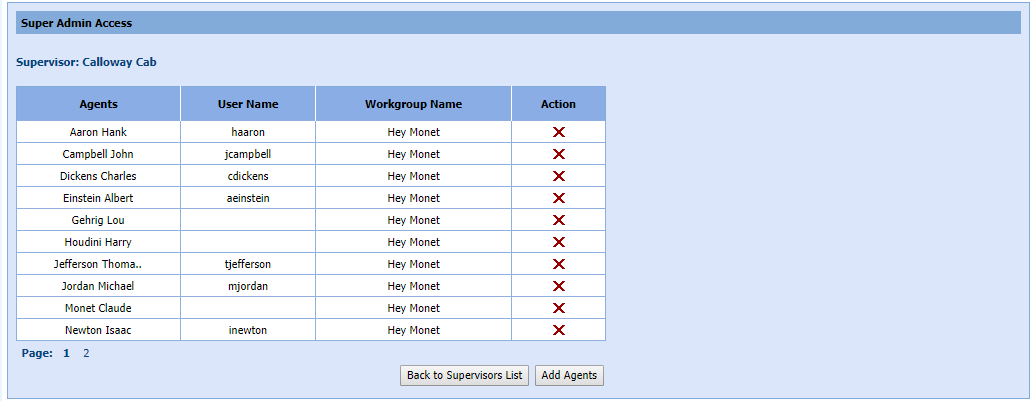
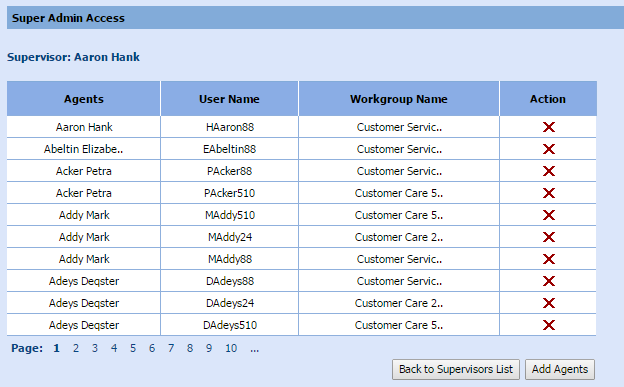
- The list of agents assigned to the supervisor displays:
| Action Fields | Description |
|---|---|
| Agents | List of the agents under this supervisor |
| User Name | Username of the agent |
| Workgroup Name | Workgroup assigned to the agent |
| Action | Delete an agent by clicking: When you click the X to delete an agent, a confirmation message displays:
|

- You can return to the Supervisors list display by clicking Back to Agents List.
Add Agent
- Click Add Agents.
- A list of unassigned agents displays:
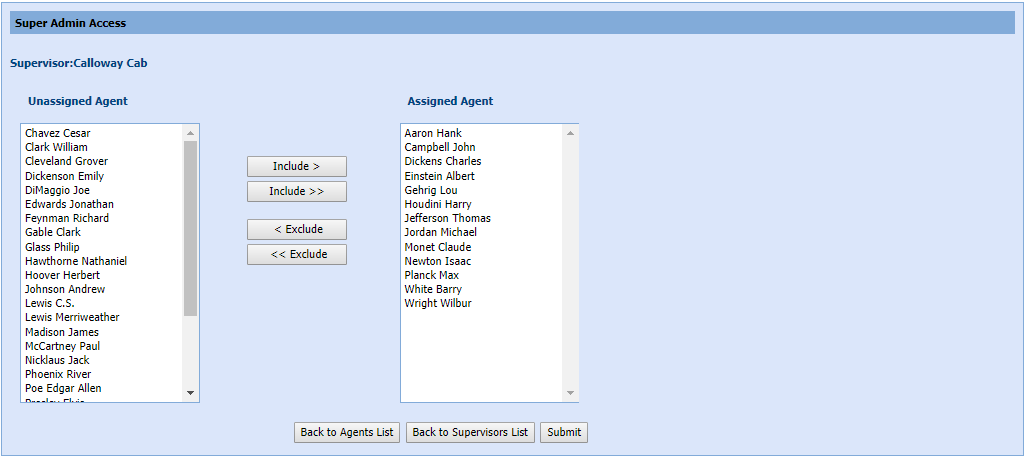
- To add a single agent, click the Include > button.
- To add all agents, click the Include >> button.
- To exclude a single agent, click the < Exclude button.
- To exclude all agents, click the <<Exclude button.
- Click Submit to save your selections.
- You are returned to the Agent list for the supervisor. You could also click Back to Agents List.
View Supervisors
To view a list of Supervisors:
-
Select Setup > Supervisors in the left-navigation menu.
-
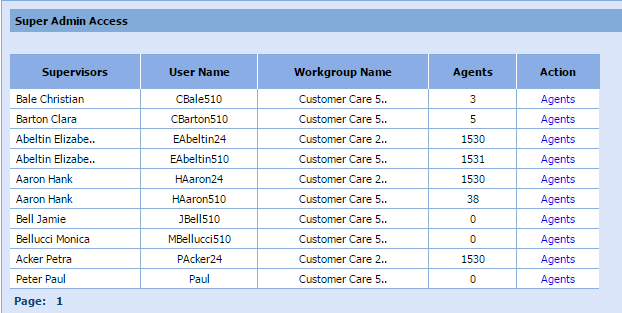
The Supervisors table is displayed.
-
Select Agents in the Action column to view a list of agents assigned to the supervisor.
Add Agents to a Supervisor
To add agents to a Supervisor:
- Select Add
Agents.
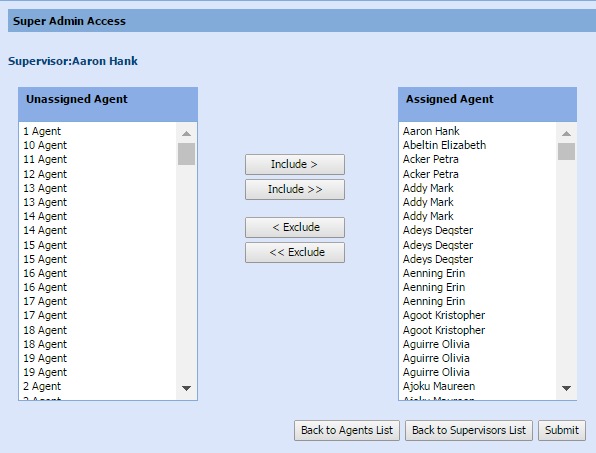
- Highlight the agent or agents to add from the left side list.
- Select Include > to move the selected agents to the right side list.
- Select Submit.
Delete an Agent from a Supervisor
To delete an agent from a supervisor:
- From the Supervisor
table, select Agents in the
Action column.
- Select the in the Action column to delete an agent.
- A confirmation message is displayed:

A table of the agents for a supervisor is displayed:
- Select OK to delete the agent.