Reminders
Administrators can set reminders for agents for a variety of activities. Agents receive a pop-up reminder for an activity to ensure that they are performing the desired task.
What do you want to do?
Tasks in this Topic Include:
Related Tasks:
Search for an Agent
To search for an individual agent to apply a reminder:
- Select Setup > Reminders in the left-navigation menu.
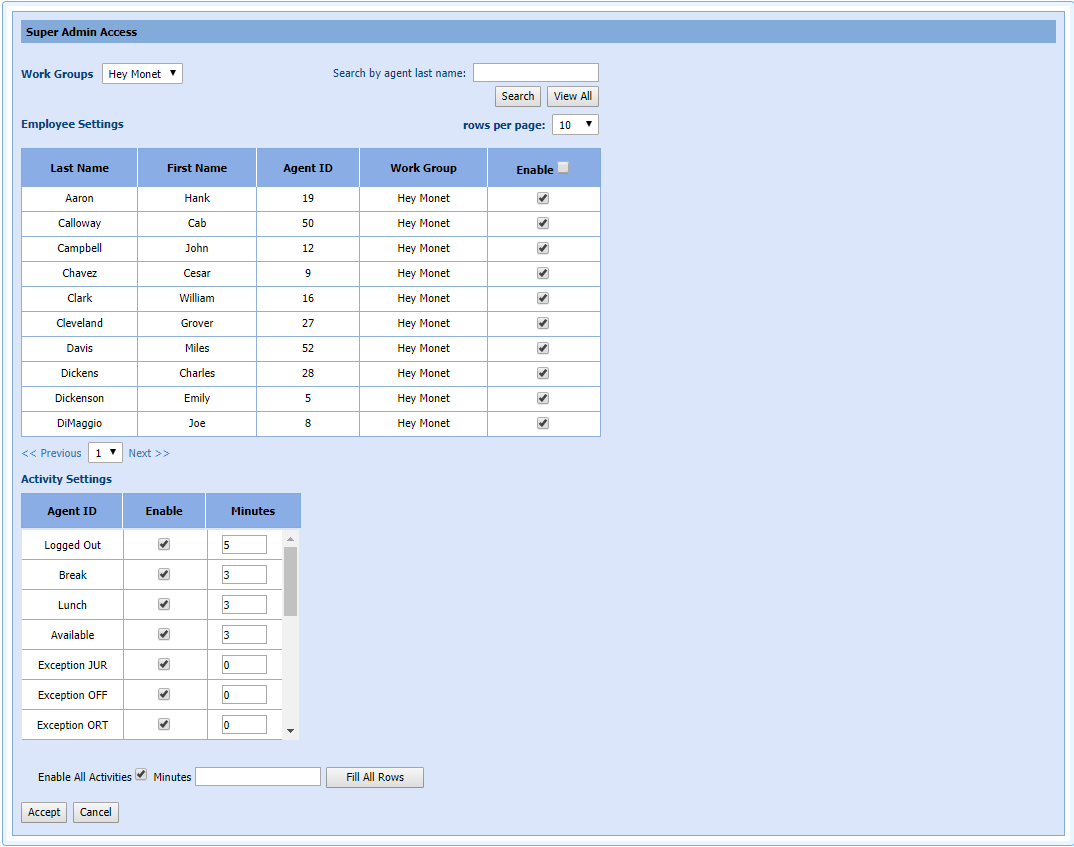
- Enter the last name of the agent in the search box and select Search. All agents with the same last name are displayed.
- Select the Enable checkbox to apply the reminder to agent(s), or select the Enable check box at the top of the Employee Settings table.
NOTE: If only one
agent is returned, the enable check box is automatically selected.
Create a Reminder
To create a reminder for an agent:
- Select Setup > Reminders.
- Select the Workgroup for the agent from the Work Groups drop-down menu.
- To set the reminder for all members of the Workgroup,
select the Enable check box
at the top of the Employee Settings
table.
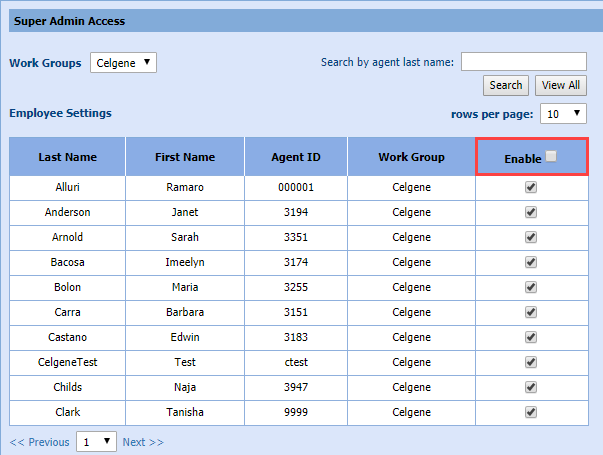
- To set the reminder for individual agents, select the check box in the Enable column of the Employee Settings table for each agent to apply the reminder.
Select the Activity Settings
Select the activities that the reminder applies.
- Select the Enable
check box for an activity where the reminder applies.
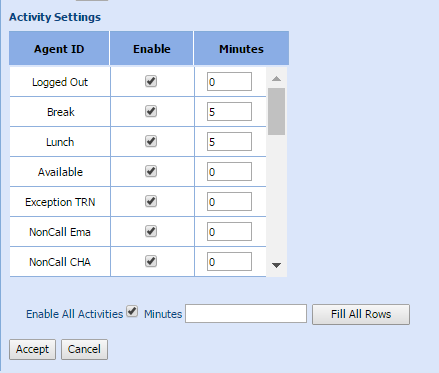
- Enter the Minutes to display the reminder in advance of the activity (scroll down to see all activities).
- To set the reminder minutes for all activities, select the Enable All Activities check box.
- Enter the Minutes, and select Fit All Rows.