Initial Attendance Score
Initial attendance scores can be imported.
What do you want to do?
Tasks in this Topic Include:
Related Tasks:
- User Access Roles
- Goals and Alerts
- Scorecard Setup
- Attendance Setup
- AUX Setup
- Custom Metrics Setup
- Custom Metrics Import
- Initial AUX Score
Import Attendance Scores
- Create a spreadsheet in .csv, .xls, .xlsx format
with the following information:
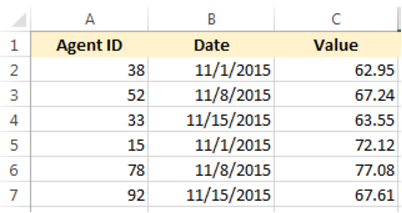
- Agent ID - Agent ID as listed in the Employee List
- Date - Date of the activity or score
- Value - Numeric value of the attendance score
- Press Select.
- Navigate to the location of the spreadsheet.
- Select the Update existing duplicated scores check box as required.
- Select Import.
Delete Initial Scores for a Date Range
To delete an initial scores for a period of time: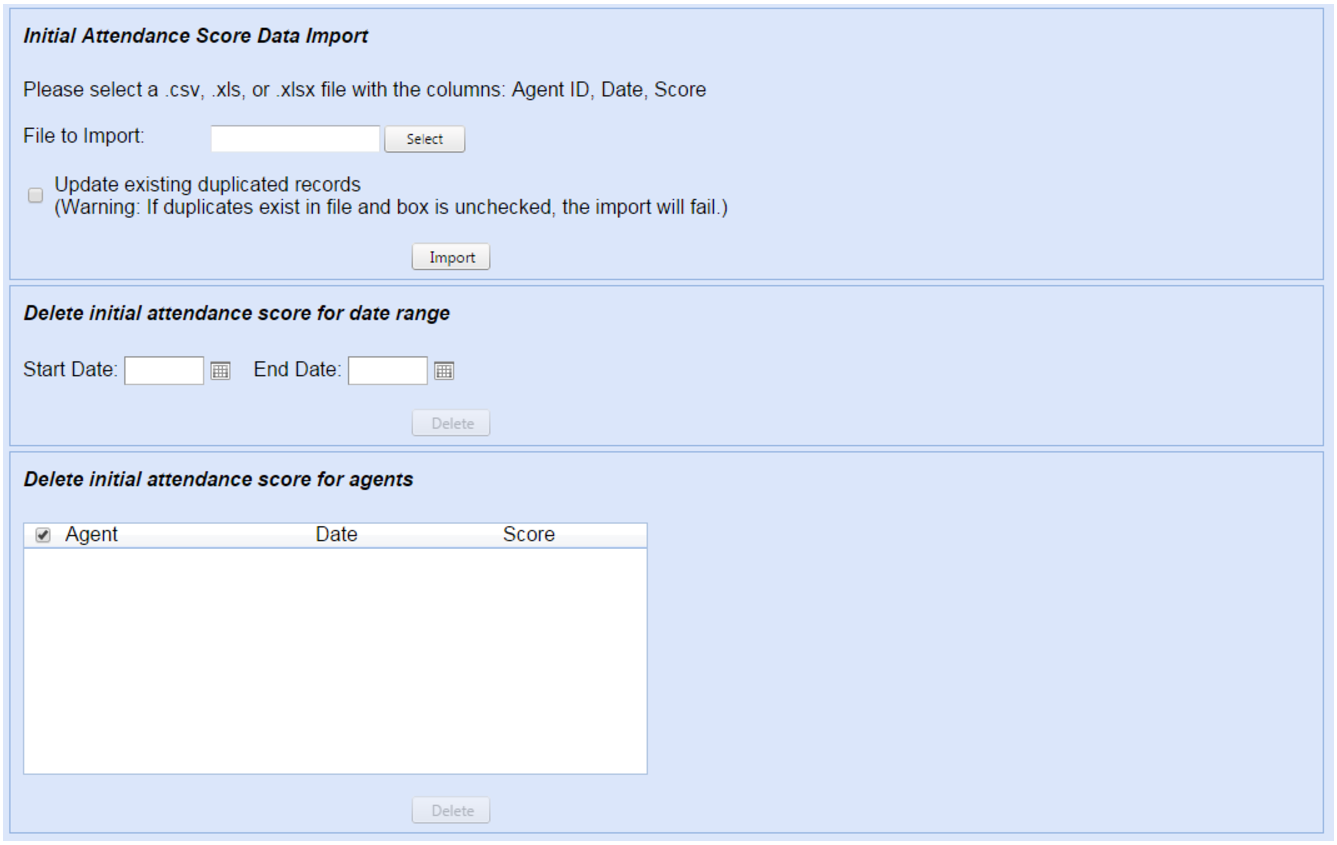
- Select a Start Date from the calendar picker or enter the date directly into the text box.
- Select an End Date from the calendar picker or enter the date directly into the text box.
- Select Delete.
NOTE: The number
of records deleted is displayed to the left of the Delete button.
Delete Initial Scores for an Agent
To delete initial scores for an agent:
- Select the check box of the agent.
- Select Delete.