Applying Service Levels
You can use service objectives to establish the right level of service for different types of calls. This allows you to accommodate calls with different degrees of urgency, or for other media such as e-mail and Web chat requests that are queued in Monet. Service objectives allow a contact center to meet the service levels that its customers expect.
Service objectives require you to choose either the Average Speed to Answer, or Threshold/Probability. Based on the option you select, the system generates the data for the displayed skills. Enter the threshold delay default for day (in seconds), and the probability delay (in %).
What do you want to do?
Tasks in this Topic Include:
Related Tasks:
- Create Sites
- Setting Up Hours of Operation
- Create Skills
- Creating Skill Teams
- Applying Shrinkage Parameters
- Applying Non-Call Parameters
- Setting Up Exception Codes
Service Level Fields
These are the available fields used to configure Service Levels in a Work Group.
|
Service Level Fields |
Description |
|---|---|
|
Service Level |
Service level can be forecast based on Average Speed of Answer (ASA), Threshold Delay, and Probability (%); or a combination of ASA and Threshold/Probability (%). |
|
The average amount of time a call waits to be answered. |
|
|
Threshold Delay |
The number of seconds a customer call will wait in the queue of the phone system (ACD). |
|
Probability (%) |
The percentage of calls that would be answered in the number of seconds in the threshold delay. |
| Abandoned (%) | The target maximum percentage of calls that can be abandoned during any 15-minute interval. During forecasting, Monet calculates employee requirements to meet this goal. |
| Patience | The number of seconds the client will wait on hold before abandoning. |
Apply Service Levels
- Select Setup > Workgroups.
- Select the workgroup you want to work with from the Workgroup drop-down menu.
- Select the Service
Level tab.
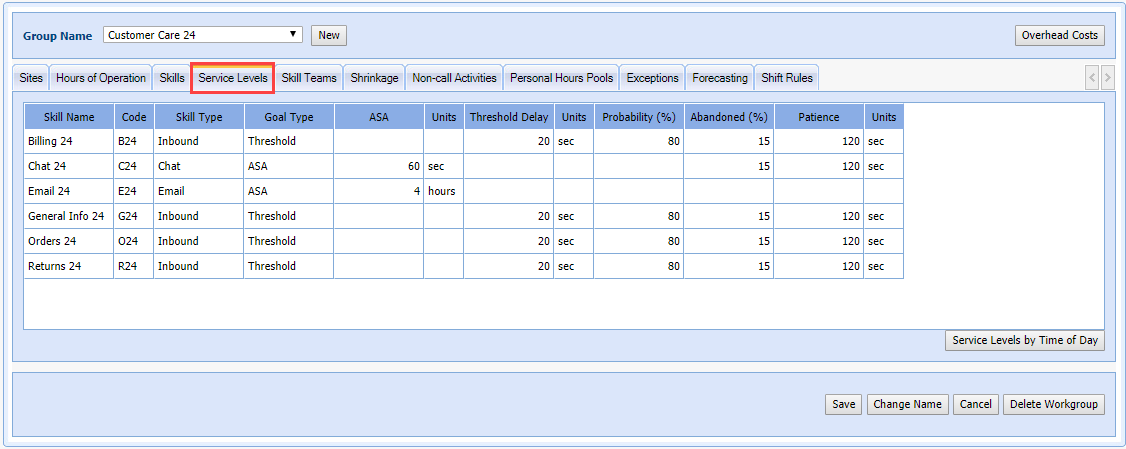
- Modify the Goal
Type by clicking in the field to open the drop-down menu (Combined, Threshold, ASA).

- Modify ASA,Threshold Delay, Probability (%) and Abandoned (%) or Patience by clicking in the field, and typing the change.
- Select Save.
Applying Service Levels by Time of Day
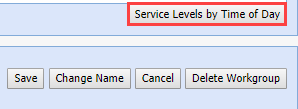
Use the Service Levels By Time of Day button to modify the service objectives parameters.
- Click Service Levels By Time of Day.
- The Service Levels by Time of Day window opens.
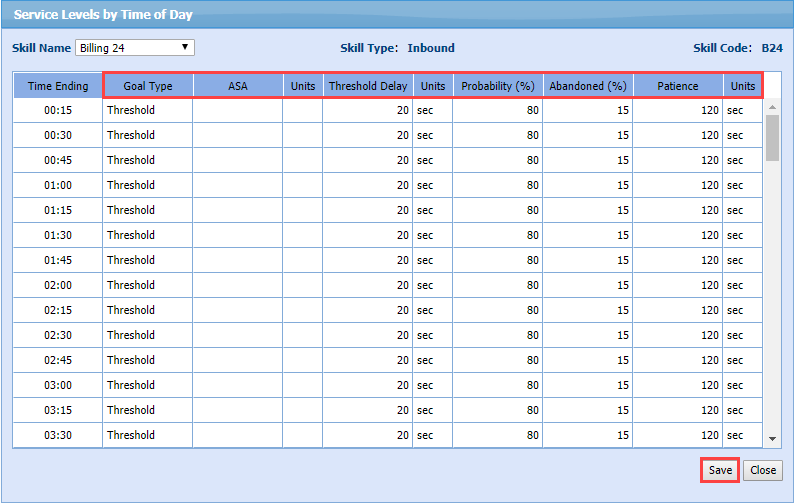
- Select the Skill Name to modify.
- Set the Goals Type, ASA, Threshold Delay, Probability, Abandoned, and Patience for specific interval(s) by clicking in the field, and typing the change.
- Set Save.
- Click Close to return to the Service Levels tab.