Performance Charts
WFO Live offers performance charts to compare predicted results with actual work history.
What do you want to do?
Tasks in this Topic Include:
Related Tasks:
- Service Performance Reports
- Calculate Cumulative Ratios
- Intra-Day
- Today's Roster
- Today's Schedule Exceptions
Performance Chart Report
To generate a Performance Report:
- Select Reports from the Manage left-navigation menu.
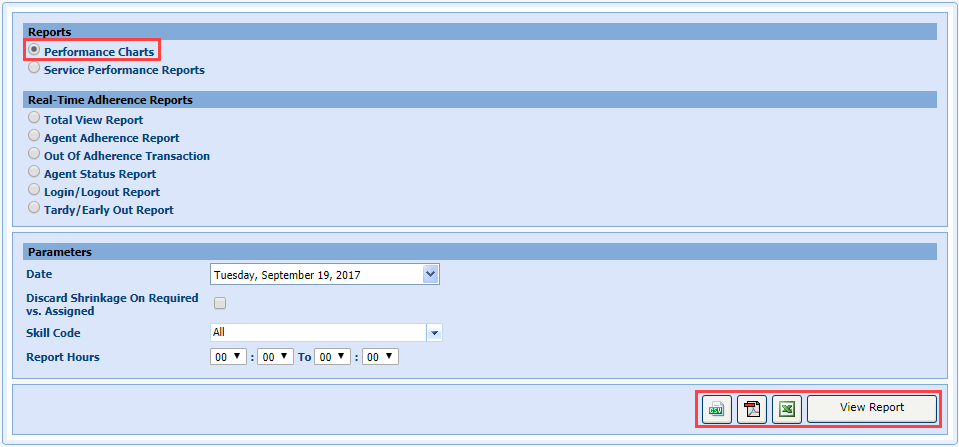
- Select the Performance Charts ratio button.
- Select the date from the Date drop-down menu.
- Select a team from the Skill Team drop-down menu.
- Select Discard Shrinkage On Required vs. Assigned.
- Select a skill code from the Skill Code drop-down menu.
- Enter the range of hours of the report in the Report Hours fields.
- Select View Report, or the icon of the format you wish to display the report in (CSV, PDF, Excel).
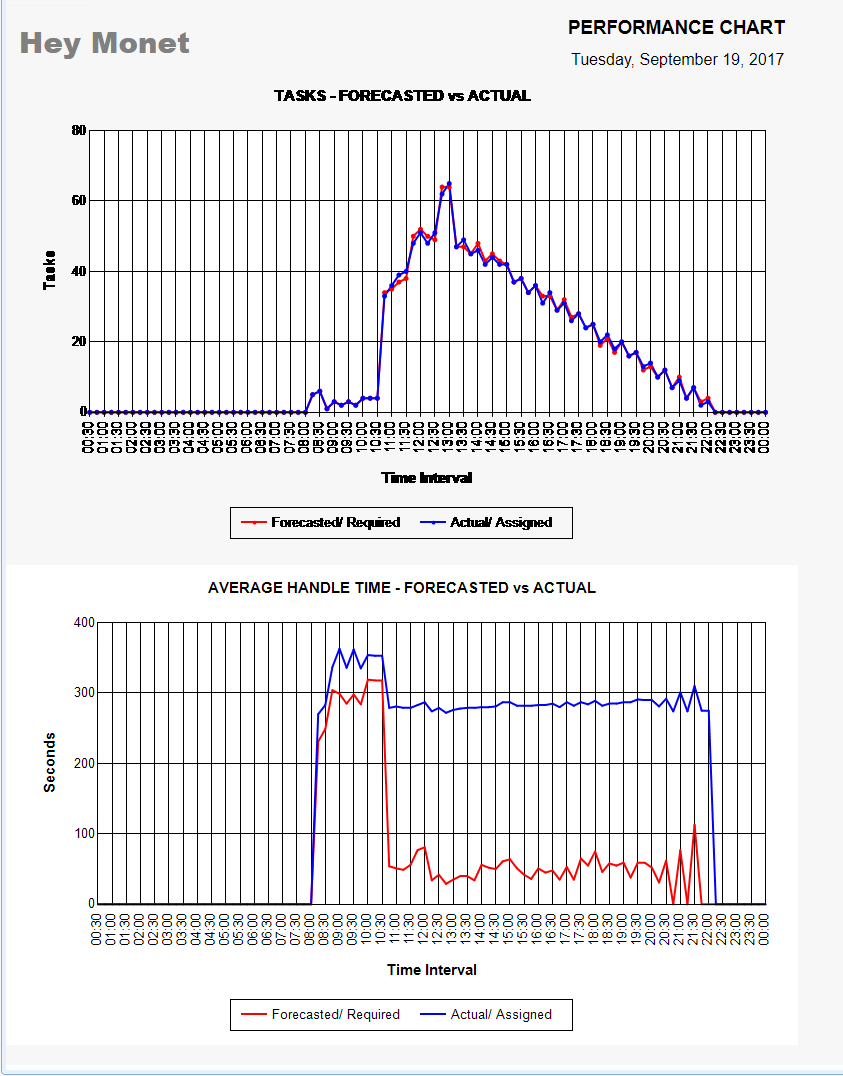
NOTE: The system
opens the performance charts in a new window.