Maintaining Notes
You can create new notes and delete existing notes from this screen.
What do you want to do?
Tasks in this Topic Include:
Related Tasks:
- Maintain Employee List
- Applying Availability /Preference
- Fixed Shift Selection
- Exception Calendar and Meeting Planner
- Changing Rank Status
- Setting Non-Call Availabilities
- Maintaining Employee Details
- Maintain Inactive Employees
- Employee Import / Export
- Employee Templates
- Generating Employee Reports
Access Notes
- Select Employees from the left-navigation menu.
- Select the Employee List option to display the employee table.
- Select an employee (agent) from the employee table.
- Select the Edit button located at the bottom of the table to launch the Employee Details screen.
- Select the Notes
tab.
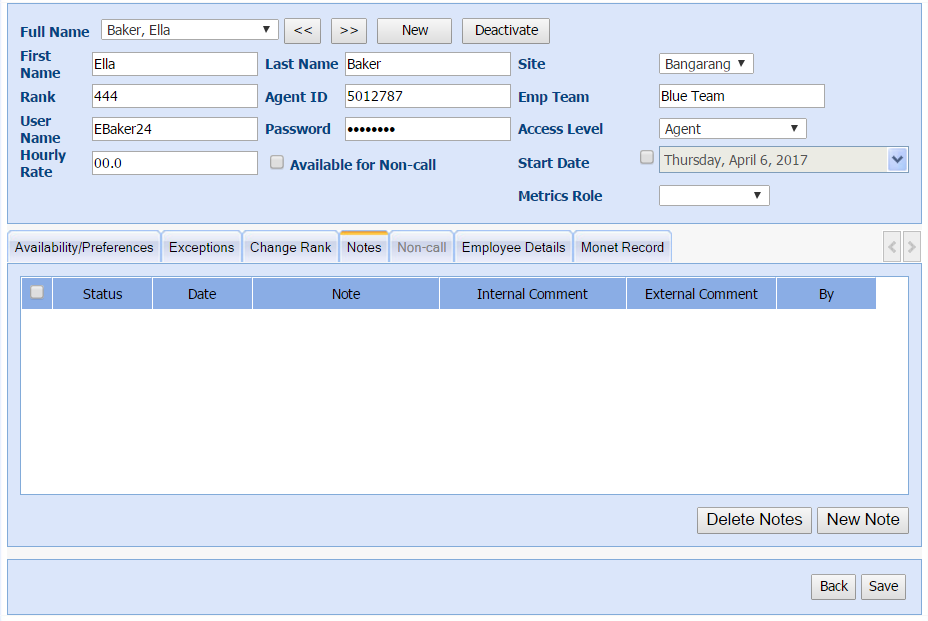
Add Employee Notes
- Select the Notes
tab.
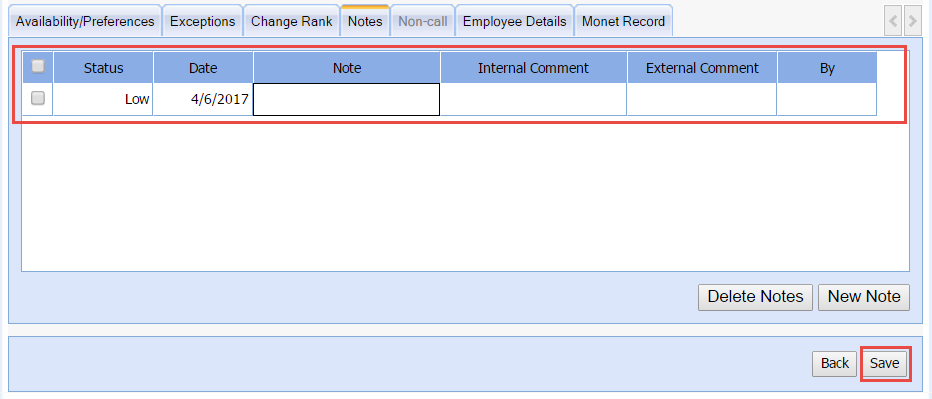
- Select New Note.
- Set the Status of the note as desired.
- Enter text into the Note, Internal Comment, and External Commentas desired.
- Select Save.