Schedule Change Requests
Supervisors can review, accept, or decline agent requests for exceptions.
What do you want to do?
Tasks in this Topic Include:
Related Tasks:
- Agent Schedules
- Agent Bids
- New Bids
- Schedule Swap Requests
- Agent Exceptions
- My Alerts
- Change Password
Agent Schedule Change Requests
Agent submitted schedule change requests are reviewed and approved/declined by Supervisors.
- Select Schedule Change Requests
in the left-navigation menu.
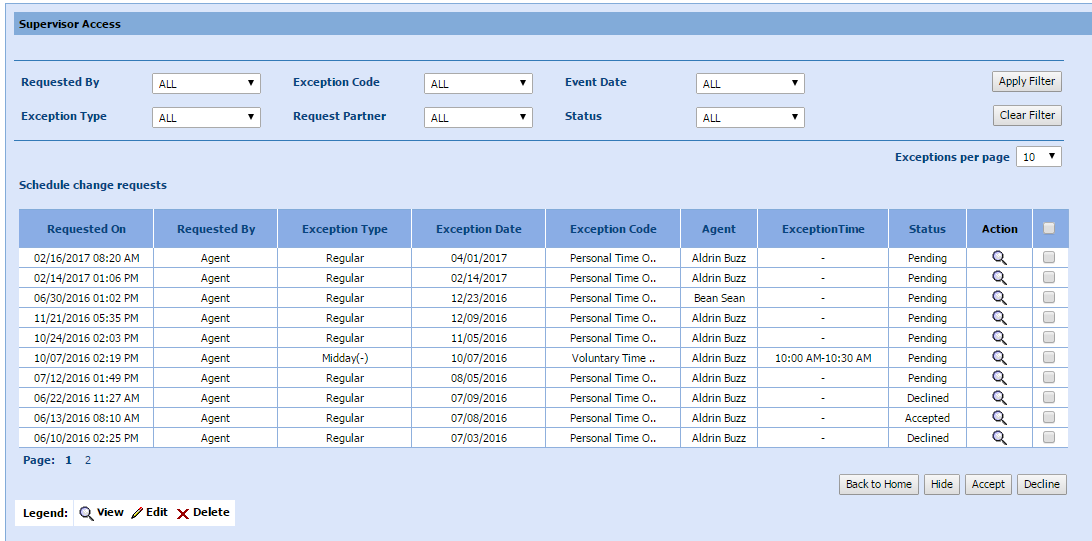
- Select the Requested by filter from the drop-down menu.
- Select the Exception Code filter from the drop-down menu.
- Select the Event Date filter from the drop-down menu.
- Select the Exception Type filter from the drop-down menu.
- Select the Request Partner filter from the drop-down menu.
- Select the Status filter from the drop-down menu.
- Select Apply Filter.
NOTE: The Schedule
Change Requests table is populated with requests that reflect the filters
applied.
NOTE: Select the
column heading to sort the results as required to locate a specific request.
- Select the check box of a request, and select Accept or Decline as desired
OR
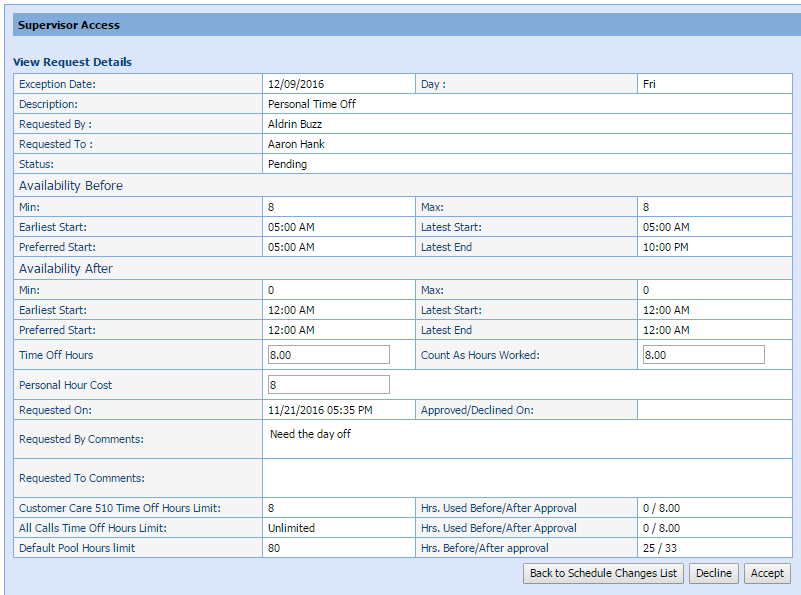
Select the magnifying glass  in the Action
column to view a requests detail.
in the Action
column to view a requests detail.
- Select Accept to approve
the request, OR Back to Schedule Change
Request as desired.