My Alerts
Supervisors can review and act upon alerts that have been set up.
What do you want to do?
Tasks in this Topic Include:
Related Tasks:
- Agent Schedules
- Schedule Change Requests
- Agent Bids
- New Bids
- Schedule Swap Requests
- Agent Exceptions
- Change Password
View Alerts
Alerts sent to supervisors include requests from agents that are delivered to a supervisor to approve or decline. Supervisors can review their alerts that have been set up.
To view alerts:
- Select My Alerts in the left-navigation menu.
- Select
the filters to apply to the listing from the drop-down menus as desired,
then select Apply Filter:
- Alert Detail
- Event Date
- Direction
- Alert Type
- Request Partner
- Status
- To
hide an alerts, select the checkbox in the far right column and select Hide. The alert
will not be displayed in the My Alerts table again.
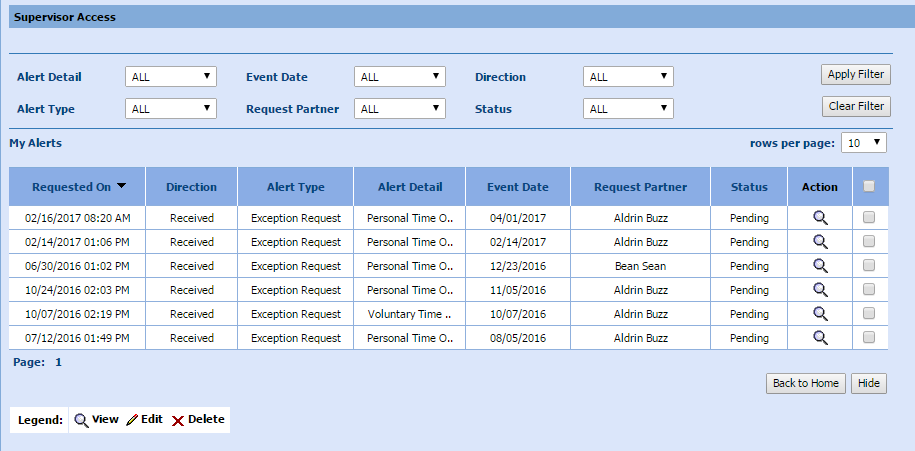
- Select the magnifying glass icon in the Action column to display Alert
Details as desired.

- Select Decline or Accept to approve or decline.