Agent Bids
Supervisors can review agent bids for shifts and accept or decline them.
What do you want to do?
Tasks in this Topic Include:
Related Tasks:
- Agent Schedules
- Schedule Change Requests
- New Bids
- Schedule Swap Requests
- Agent Exceptions
- My Alerts
- Change Password
Accept/Decline Agent Bid Requests
Supervisor can accept or decline to approve requests from agents who have bid on a schedule.
- Select Agent Bids in the left-navigation menu.
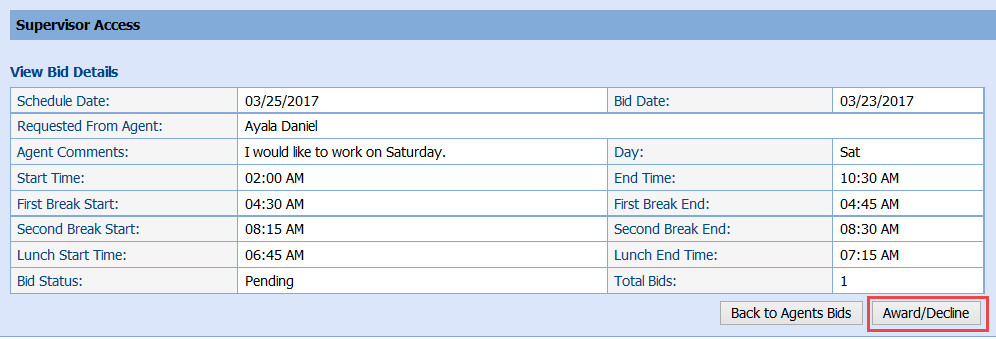
- Select
the magnifying glass icon in the Action column
to view request details as desired.
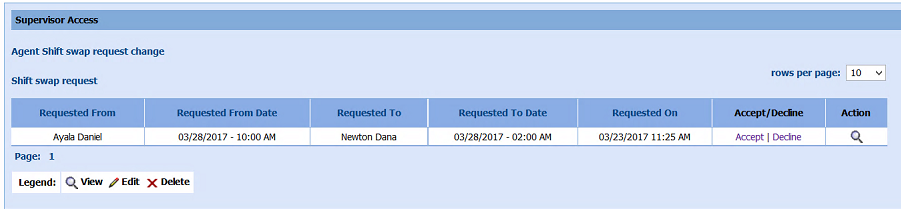
- Select
the Accept or Decline links
in the Bid
requests from agents table
OR Award/Decline in the View Bid Details window.
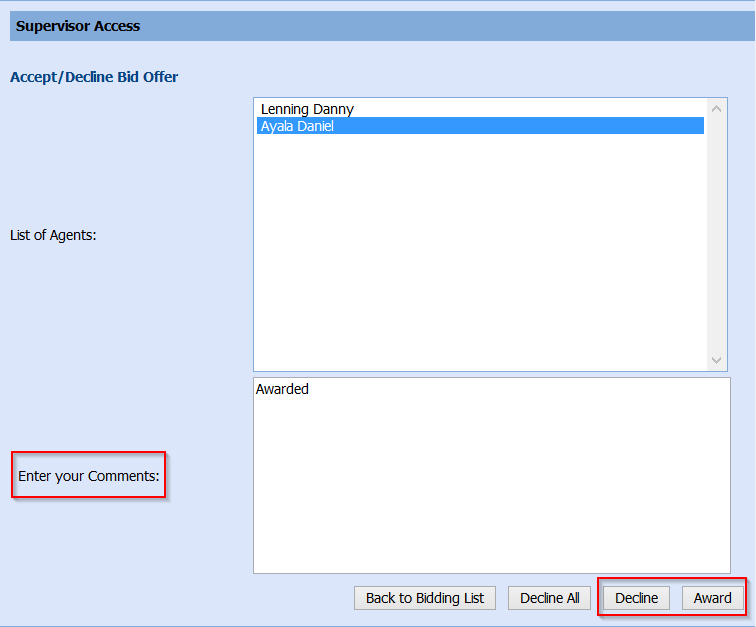
- Enter any comments in the Enter your Comments text box as desired.
- Select Decline to decline the request
OR Award to approve the request.
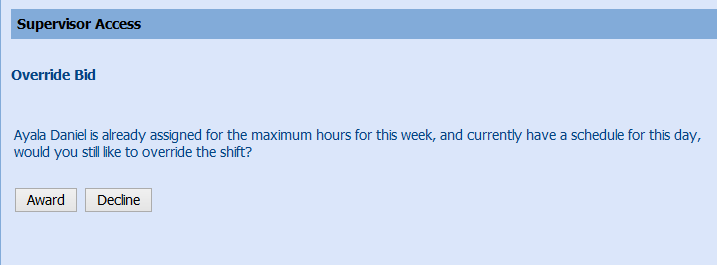
- A success message is displayed if the swap was able to complete.
- In
certain circumstances, the system will display a message (such as
override bid or exceeding weekly hours) that the Supervisor must reaffirm
by selecting Award or Decline again.