Service Level
This screen allows you to generate a report based on service level performances. The data generated can be used to gauge whether or not goals are being achieved. The filter region is where specific criteria is selected and applied to generate the Service Level report.
NOTE: Service level
performances and targets are set up in Workgroups.
What do you want to do?
Tasks in this Topic Include:
- Access Service Level
- Target Resource - Workgroup
- Target Resource - Site
- Target Resource - Skill
- Export Charts and Reports
Related Tasks:
Service Level Report
Access Service Level
- Select Metrics from the left-navigation menu.
- Select Performance.
- Select Service Level.
Select Report Parameters
Select the report parameters for the desired report as follows:
Target Resource - Workgroup
- Select Workgroup from the Target Resource drop-down menu.
- Select the specific workgroup from the drop-down menu to the right of the target resource.
- Select the Reference Period from the drop-down menu.
- Select the calendar icon to select the Period.
- Select the Status from the drop-down menu.
- Select Apply.

Target Resource - Site
- Select Site from the Target Resource drop-down menu.
- Select the specific workgroup from the drop-down menu to the right of the target resource.
- Select the Reference Period from the drop-down menu.
- Select the calendar icon to select the Period.
- Select the Status from the drop-down menu.
- Select Apply.

Target Resource - Skill
- Select Skill from the Target Resource drop-down menu.
- Select the specific workgroup from the drop-down menu to the right of the Target Resource.
- Select the Reference Period from the drop-down menu.
- Select the calendar icon to select the Period.
- Select the Status from the drop-down menu.
- Select Apply.

NOTE: To clear
all fields, click the Reset button.
Viewing Reports
The report selected is displayed:
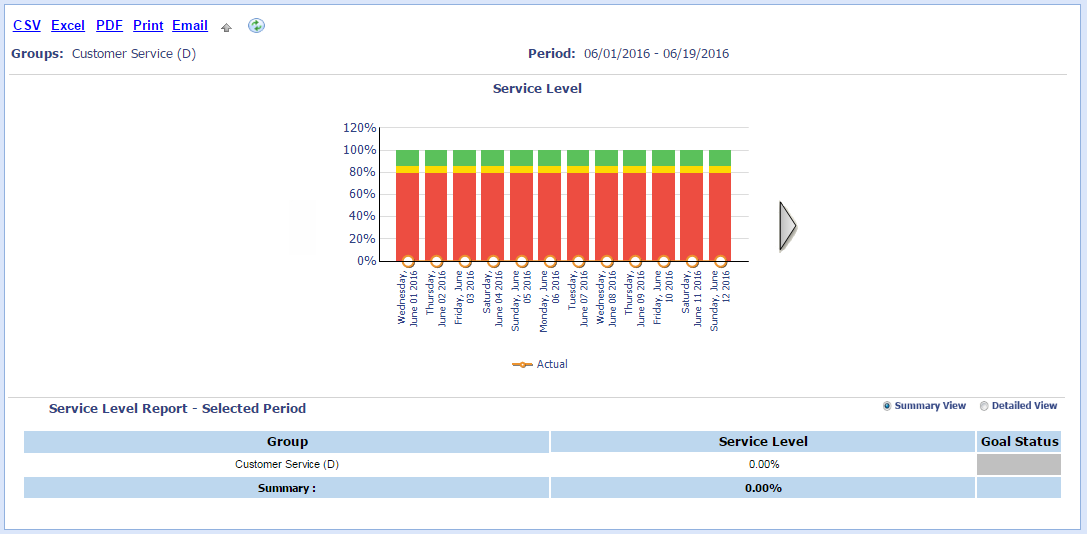
NOTE: Use the view
options to review different levels of detail.
- Select the Summary View radio button to review the total service level from each category.
- Select the Detailed View radio button to review a breakdown by Skill or Supervisor/Agent.
Export Charts and Reports
Select the CSV, Excel, PDF, Print, or Email link from the charting region.