Personal Hours
The Paid Time-Off (PTO) management feature and Personal Hours Pools allow Work Force Managers to track time-off requests from agents. PTO balance accrued in your payroll system can be imported as available hours, and usage against the balance available can be tracked for each agent. Multiple time-off pools are supported.
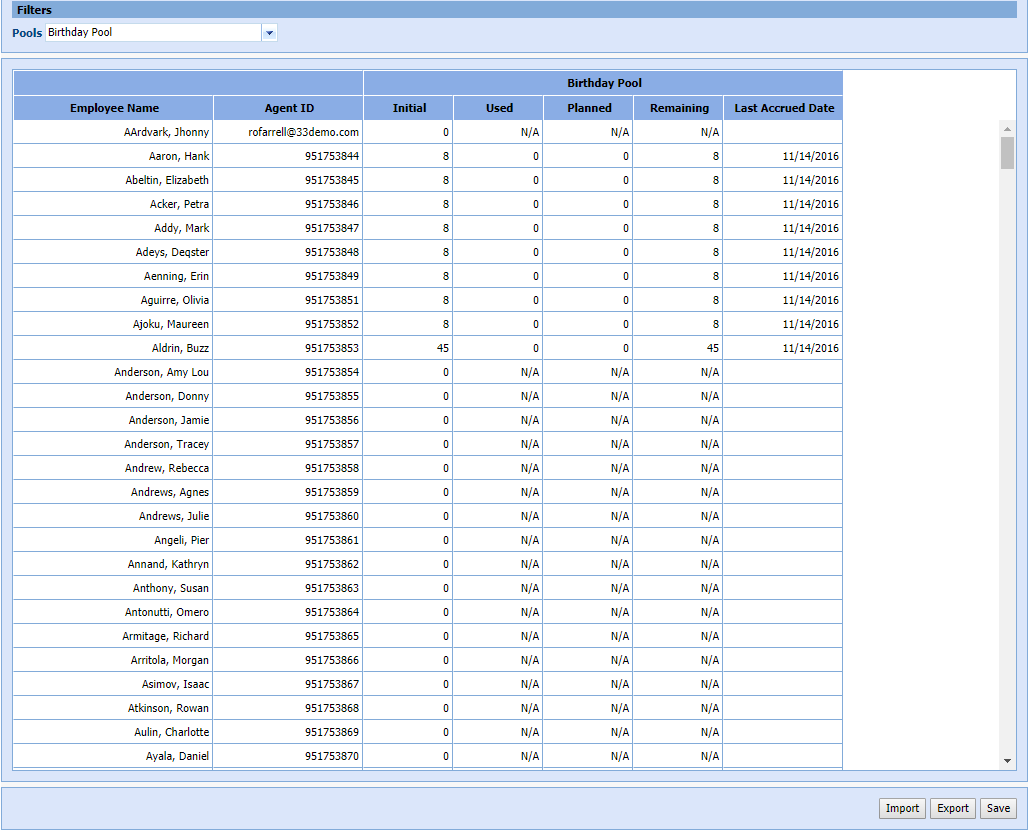
Managers can track initial, used, planned, and remaining hours of pooled time-off for individual agents.
What do you want to do?
Tasks in this Topic Include:
Related Tasks:
- Personal Hours
- Exception Calendar and Meeting Planner
- View Roster By Agent
- Add Exception from Employee List
- Add Exception from Graphical View
- Add Exception from View Roster By Agent
Personal Hours
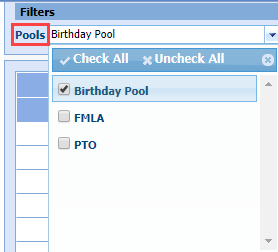
- Select Manage > Personal Hours. Use the Pools filter to display one or more pools at a time.
- The Personal Hours table lists all employees, the hourly limits, and last accrual dates for each pool.
Make Manual Changes
- Double click the Initial field, and enter in the updated hours.
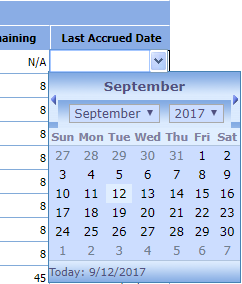
- Double click the Last Accrued Date field, and select a date from the date selector.
- Click Save.
Import Personal Hours
Data can be imported. The columns should contain fields for Last Name, First Name, Agent ID, Personal Hours Pool (name), Hours Total, and Last Accrued Date.
- From the Personal Hours table, click Import.
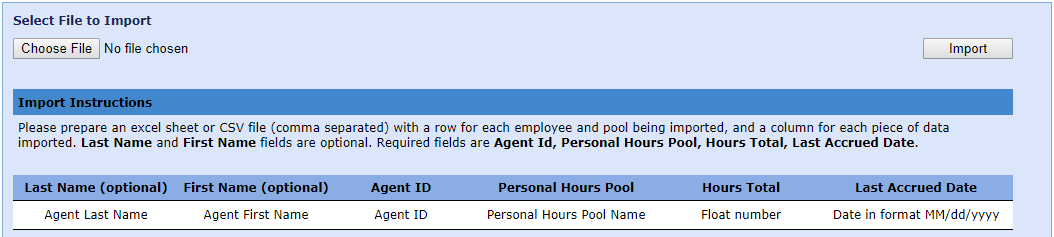
- Select Choose File.
- Select the file name, then Open.
- Click Import.
Export Personal Hours
The personal hours table data can be exported in a CSV format file by clicking the Export button. A status will display after the export is completed.
