Shift Rules
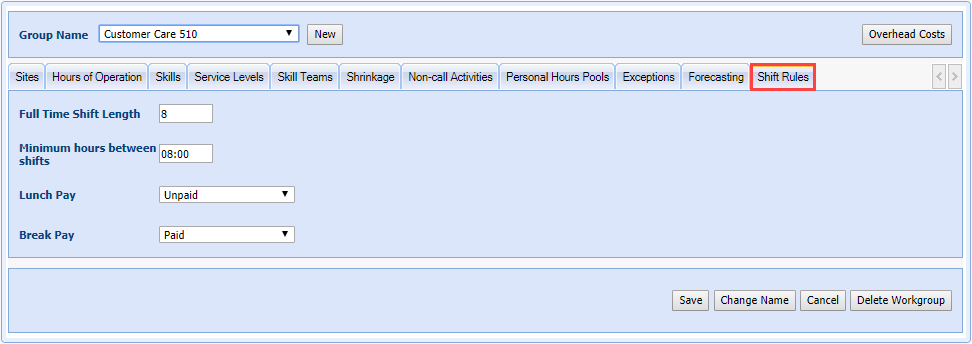
Shift rules contains the rules for workgroups being scheduled. Users can set the shift length, minimum number of hours between shifts, along with lunch and break pay details.
What do you want to do?
Tasks in this Topic Include:
Related Tasks:
Set the Shift Rules
- Select Setup from the left -navigation menu.
- Select Workgroups.
- Select the Shift Rules tab.
- Enter the Full Time Shift Length in hours.
- Enter the Minimum hours between shifts in hours
- Select the Lunch Pay status from the drop-down menu.
- Select the Break Pay status from the drop-down menu.
- Select Save.
NOTE: Break and Lunch Paid/Unpaid/Mixed options contribute to shift lengths.