Login to Monet WFO Live
Tasks in this Topic Include:
Related Tasks:
Login
Use the URL you were sent to login to your Tenant.
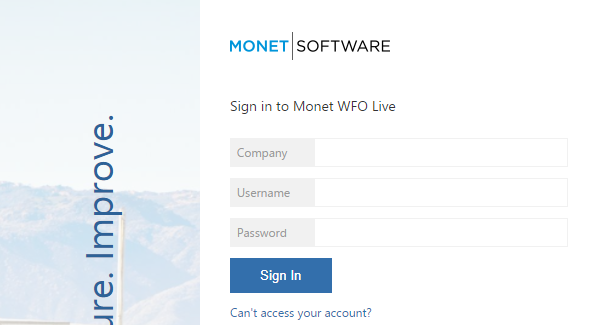
- Enter your Company Name, Username, and Password.
- Select Sign In.
- You will be taken to the Monet WFO Live™ home screen.
Monet WFO Live Home Screen
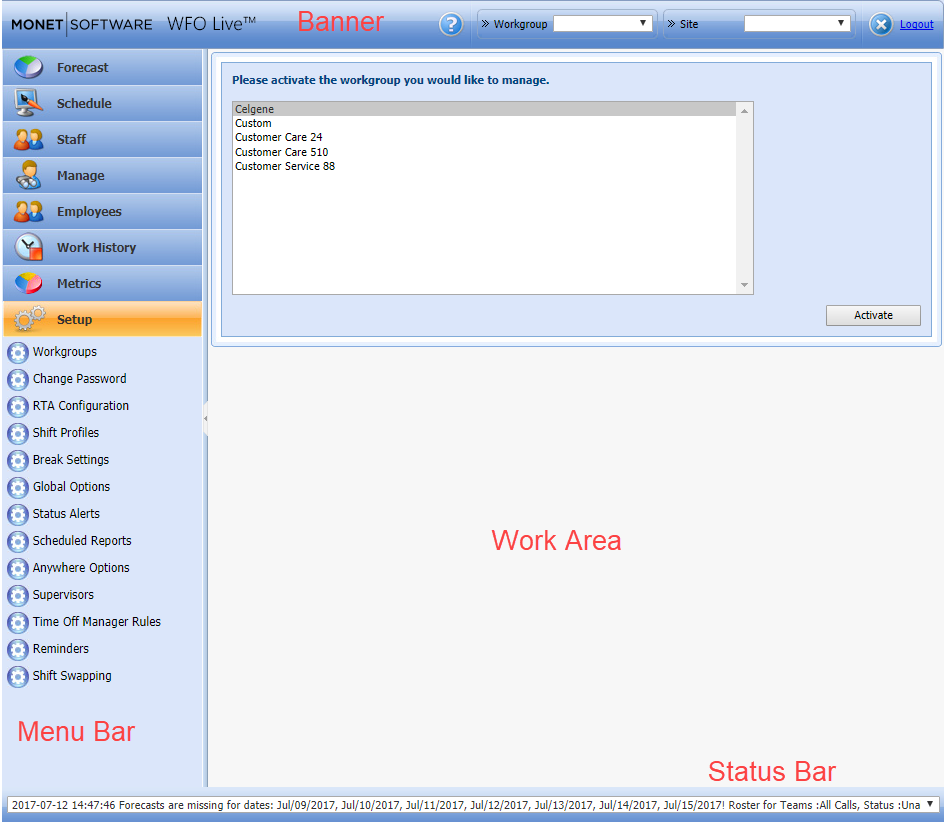
The Monet Home Screen is divided into these areas:
- Banner: Shows Workgroup, Site, and Logout
- Menu bar: Accesses Monet WFO Live™ Functionality
- Work Area: Where configuration is done
- Status Bar: Shows the status of background tasks
Status Bar Message
The Status Bar displays background task messages.
You can hover over the Status Bar to see more of the message:

To fully open the Status Bar, left-click on the drop-down button.

Activate a Workgroup
- Select the Workgroup from the Workgroup list.
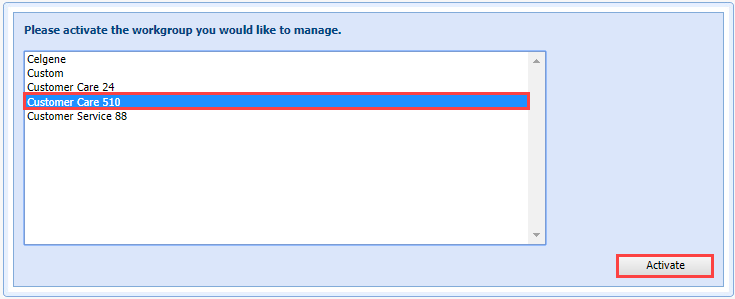
- Or you can use the Workgroup drop-down
to select a workgroup.
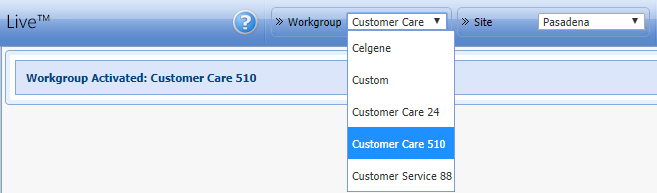
- Click Activate.
- A prompt displays showing which Workgroup and site are active.
Logout
See Exiting WMO Live.