Generate Charts
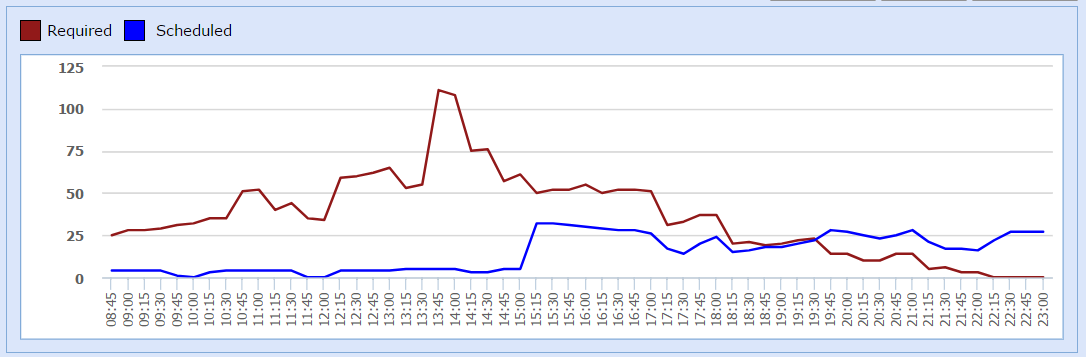
This feature allows you to compare the actual requirements of the employees for a particular day/period with the schedule made by WFO Live in a chart.
What do you want to do?
Tasks in this Topic Includes:
Related Tasks:
Generate Required vs. Scheduled Charts
- Select Reports from the Schedule left-navigation menu.
- Select Required vs. Scheduled.
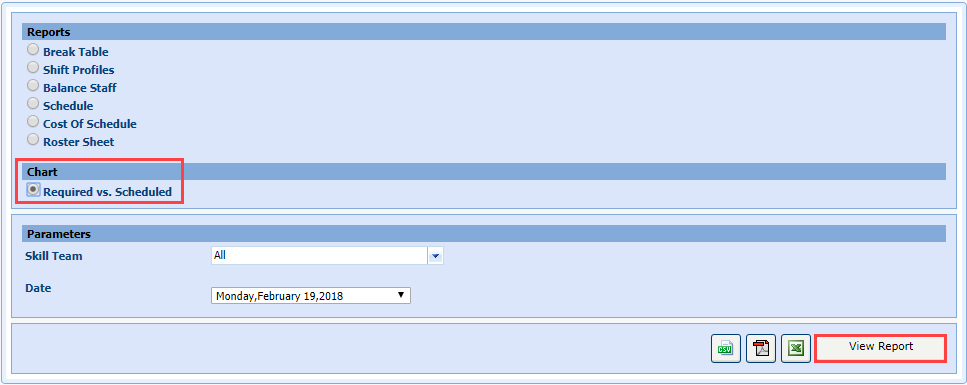
- Select a team from the Skill Team drop-down menu.
- Select a date from the Date drop-down menu.
- Select View Reports.