Delete Forecasts
When forecast data becomes the call history data, it is no longer required. Under such circumstances, you can delete the outdated forecasts, and restore valuable space in the WFO Live database. This option allows you to delete existing forecast data for a specific date.
What do you want to do?
Tasks in this Topic Include:
Related Tasks:
Delete Forecasts
- Select Forecast in the left-navigation menu.
- Select View Forecast.
- Select the Date
from the drop-down menu.
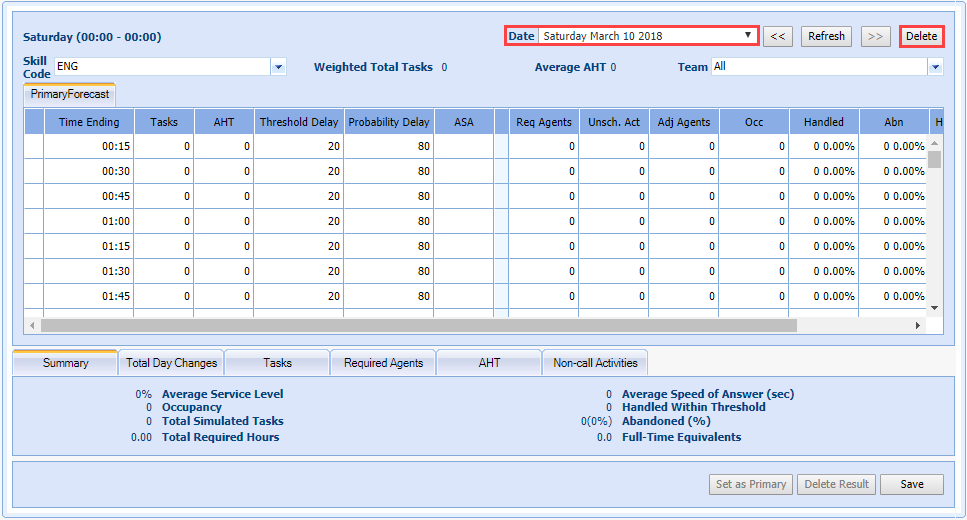
- Select Delete. A confirmation window will display.
- Select one of the following:
- Click Yes to delete the forecasted data for the selected date range from the database.
- Click No to cancel the process.