Maintaining Workgroups
Workgroups are the key elements of WFO Live. Call centers have specialized groups of skilled employees that are assigned particular tasks categorized as workgroups. The categorization of workgroups can be based on the type of operations/clients/interaction modes or employee skills.
What do you want to do?
Tasks in this Topic Include:
Related Tasks:
Maintain Workgroup
The name of a workgroup should be self-explanatory and clearly describe the work/function it is handling.
Activate a Workgroup
- Select a Workgroup
from the Workgroup drop-down menu to
access it.

NOTE: The Workgroup
menu is also used to switch over to different workgroups by deactivating
the current active workgroup, and activating another workgroup.
Change a Workgroup Name
IMPORTANT: Before you can change the group name, you will need to make sure the Workgroup
is not active.
- Select Setup from the left-navigation menu.
- Select Workgroups.
- Select a group name to be changed from the Group Name drop-down menu.

- Select Change Name.
- Enter a new workgroup name in the Group Name field.
- Select Save.
Deleting Workgroups
A workgroup can be deleted if it is no longer required. Before you can change the Workgroup Name, you will need to verify that the Workgroup is not currently activated.
Select the workgroup to be deleted from the Workgroup drop-down menu.
- Select Setup from the left-navigation menu.
- Select Workgroups.
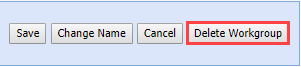
- Select Delete Workgroup.
- Select Save.
NOTE: A
deleted workgroup cannot be restored. The
workgroup that is currently activated cannot be deleted. Once
the Workgroup has been deleted; all associated Forecasts, Rosters,
Schedules, Agents, Exceptions, Non-Call Activities, etc., will also
be removed from the system.